Idiot Box features — editor, terminal, browser, project panel and media viewer
One window, whole workflow
Map, code, preview and ship without juggling five tools. Everything lives side by side and stays in sync.
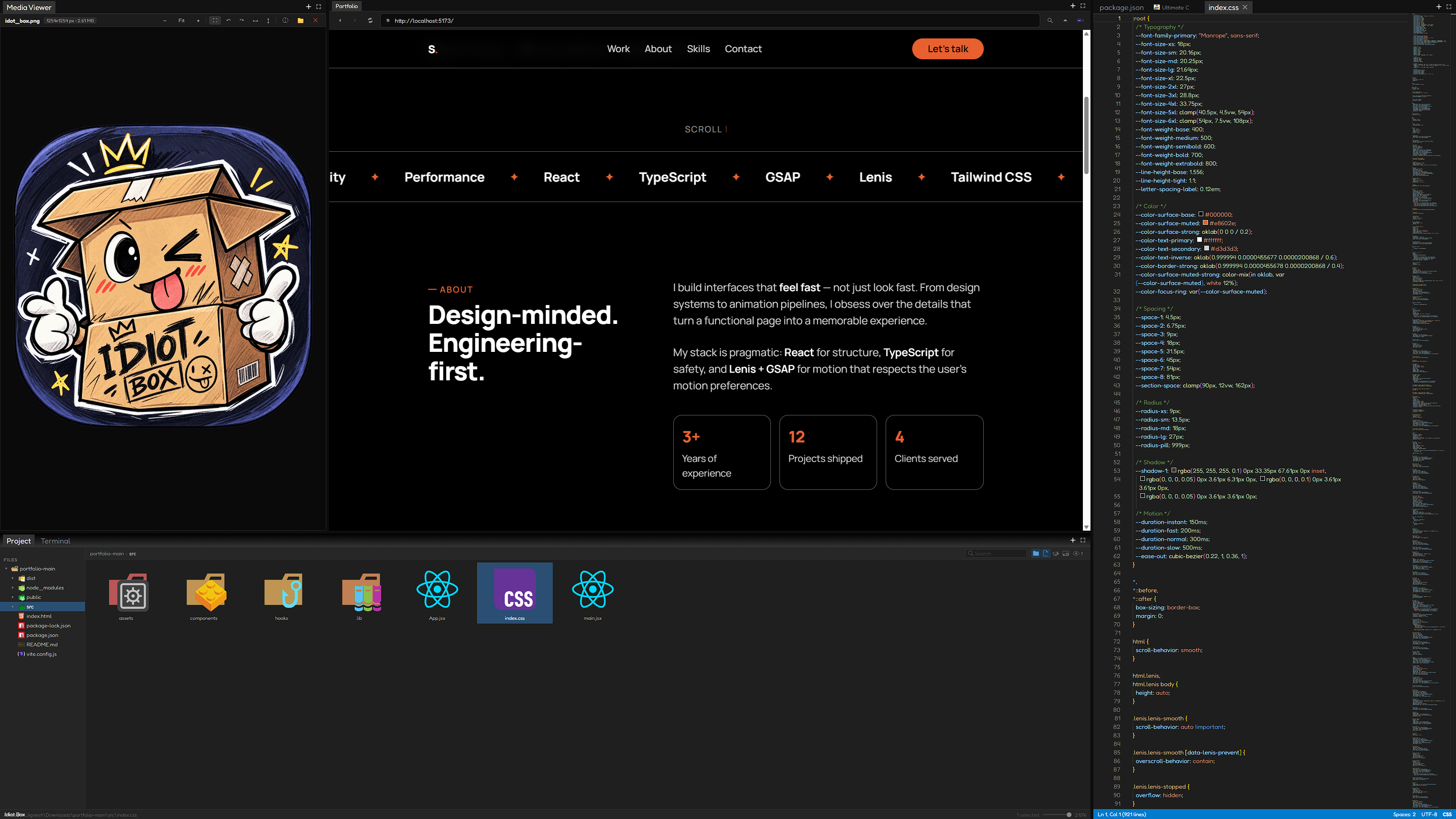
Code Editor
A VS Code grade editor. 50 plus languages, minimap, autosave, and files that refresh live when something else changes them. Type below. This is the real editor.
// welcome to Idiot Box
function buildSomething(great) {
  const app = { canvas: true, editor: 'monaco', flow: 100 };
  return [app, great].filter(Boolean).join(' + ');
}
buildSomething('your idea');
Browser Panel
Your dev servers in tabs. Open localhost previews with automatic port detection, right next to your code. Try the address bar.
Project Panel
Files without friction. Drag and drop, multi select, clipboard, undo and redo, all in a tree that keeps up with you. This is the real repo structure. Click around.
Terminal
A full terminal with splits and new panels, opened right where your project lives. Type help and press enter.
Media Viewer
Media stays in flow. Zoom, rotate, flip and pan images and video without ever leaving the app. Try the buttons.
Ready to build?
Free and open source. Grab the latest Windows build.
Download .exe